PRSA
Website
Redesign
A full redesign of a provincial regulatory authority's public-facing website — transforming a cluttered government portal into a clear, accessible, and task-focused experience for contractors, homeowners, and businesses across six technical safety domains.
01 — Overview
From a fragmented portal to a unified regulatory experience
This provincial regulatory authority oversees safety compliance across six technical domains — Gas, Electrical, Plumbing, Boilers & Pressure Vessels, Elevating Devices, and Amusement Rides.
The project began without a formal brief or design handoff. I was brought in mid-stream, without access to internal documentation or stakeholder meetings. My starting point was the live site itself — I audited every page, mapped the existing structure, and identified the gaps before a single wireframe was drawn.
My scope covered the full redesign: visual system, information architecture across all major page types, user flows for permit applications, licensing, search, and the document library — plus a domain colour system and icon set to give each safety category a distinct visual identity.
02 — The Problem
A government site built around internal structure, not user needs
- No visual distinction between the six safety domains — users had to read everything to find their area
- Homepage tried to do everything at once — no prioritization, no clear entry points
- Critical actions buried — permit applications, inspection requests, and licence renewals hidden inside nested menus
- Poor mobile experience — not optimized for smaller screens
- Visual design that didn't convey regulatory authority or build user trust
03 — Design Decisions
Key design choices that shaped the system
Decision 01
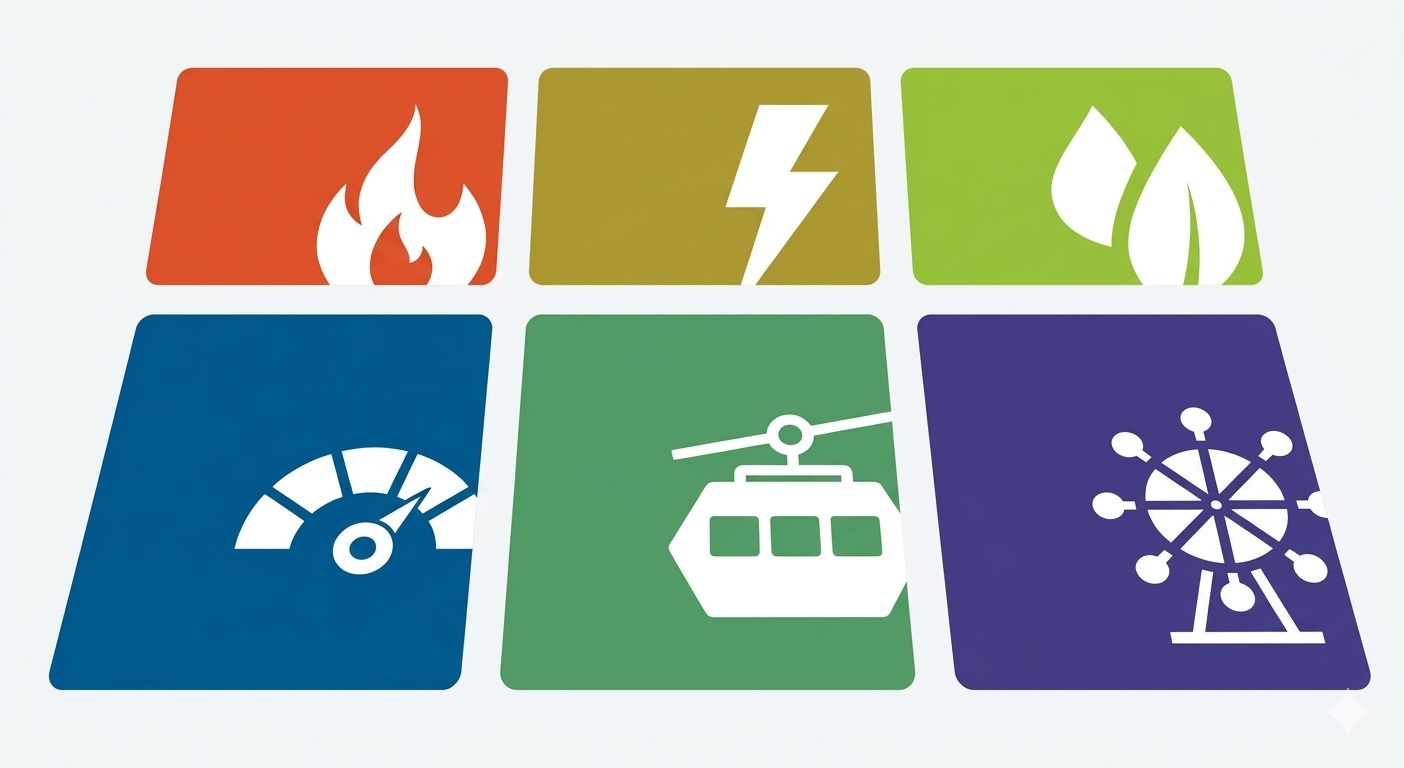
Domain Colour System
I designed a colour system assigning a distinct colour to each of the six safety domains. This wasn't decorative — it created a visual shorthand that lets users orient immediately without reading. The system is applied consistently across cards, badges, navigation indicators, and CTAs throughout the site.
Decision 02
Domain Icon System
Alongside the colour system, I created a set of domain-specific icons — one for each safety category. Used in combination with colour, these icons reduce the cognitive load of identifying the right domain, particularly for repeat users who may not read labels at all.
Decision 03
User Flow Design Across All Major Page Types
I designed the user flow for every major section of the site — permit applications, licensing, examinations, search, and the document library. For licensing and permit pages, I mapped the full application journey — from landing on the section to completing a submission — and restructured the page hierarchy to surface the right information at each step.
Decision 04
Dark, Authoritative Header
A deep navy (#222c35) header replaced the flat blue, conveying authority and trust — critical for a safety regulator. The contrast also improved legibility and created a strong visual anchor at the top of every page.
Decision 05
MyPRSA Portal Integration
The logged-in portal (MyPRSA) was prominently surfaced in the navigation, encouraging digital-first interactions for permits and renewals — reducing phone and in-person service load.
Decision 06
Responsive-First Layout
The new design was built mobile-first from the ground up. The category tile grid collapses gracefully to a 2-column layout on tablet and a single column on mobile, maintaining usability across all devices.
04 — Outcome
A cleaner, faster, more trustworthy experience
Beyond the metrics, the redesign established a scalable visual system — the domain colour and icon structure, consistent card patterns, and clear typographic hierarchy — built to be maintained and extended as the organization grows. Domains can be added without redesigning from scratch.