Coffee
Break
A pointless but delightful web experiment built entirely through vibe coding — my very first attempt. Inspired by a LinkedIn post, built in Google AI Studio, finished with Claude Code, and deployed live on Netlify.
The Origin
It started with a cigarette.
Someone on LinkedIn posted about a tiny web app they'd built: click a button, and a cigarette gradually gets shorter — simulating a smoke break. When the cigarette burns out, you're done. Back to work. A completely useless, completely charming little thing.
That post sat in my head for a while. I didn't smoke, but I did drink coffee. What if I built the same thing — but for a coffee break? Choose your coffee, set your time, and watch it disappear. That was the whole idea.
"I didn't open a code editor. I opened Google AI Studio and just started talking to it. That was my first vibe coding session."
This became the very first thing I ever built through vibe coding. No prior experience with AI-assisted development. Just a browser, a prompt, and a lot of trial and error.
What It Does
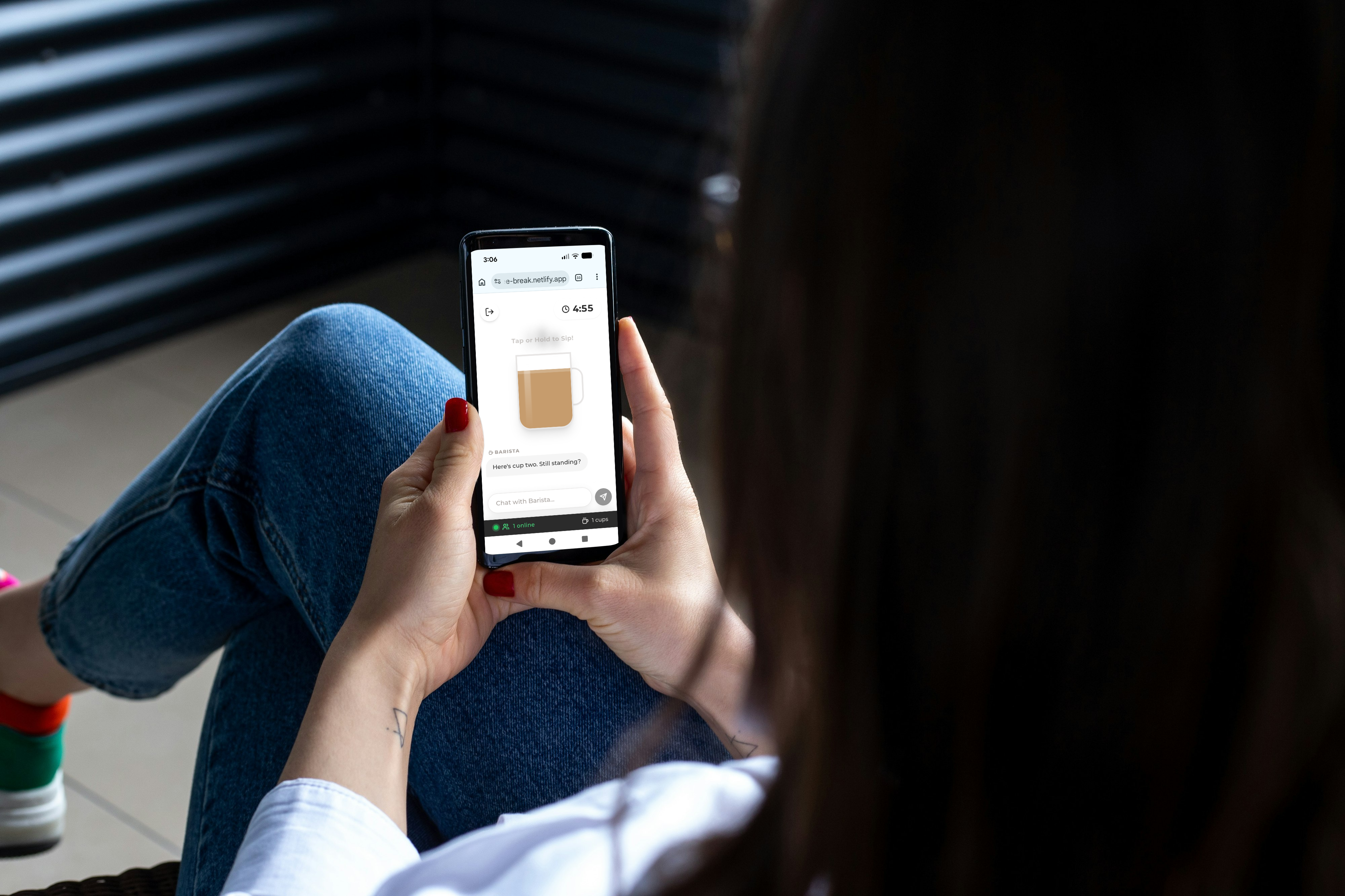
A 5-minute timer. But make it coffee.
At its core, this is just a timer. But it's dressed up well enough that you might actually want to use it.
- Coffee type selection — pick your drink before the break starts. Iced Coffee, Double Double, or Cappuccino — your choice sets the mood.
- Customizable break time — set how long your break actually is. Not everyone gets the same 5 minutes.
- AI Barista chat — a built-in chat interface powered by the Gemini API. Have a conversation with your virtual barista while you wait.
- Break-end notification — when the time's up, it tells you. Time to get back to work.
How It Was Built
Two AI tools, one deployment pipeline, zero traditional coding.
The journey from idea to live URL was messier than it looks — but that was kind of the point.
Step 01
Built in Google AI Studio
The initial version was generated entirely through Google AI Studio — prompting Gemini to write the HTML, CSS, and JavaScript. Multiple rounds of trial and error. A lot of "that's not right, try again."
Step 02
Hit a Wall on Deployment
The code worked locally. But getting it live was a different story. Without knowing the deployment workflow, the project sat paused for a while — finished in code, stuck before the finish line.
Step 03
Finished with Claude Code
Picked it back up using Claude Code. Final refinements, fixes, and polish were all handled through conversation — no manual editing of the source.
Step 04
GitHub → Netlify, Automated
All source code is on GitHub. Claude Code pushes changes directly via GitHub, and Netlify automatically deploys on every push. The full pipeline is now hands-free.
Takeaway
It's just a timer. And that's the whole point.
This experiment isn't impressive by any technical measure. But it was never supposed to be. The goal was to see what happens when you take a dumb idea seriously — to go from "that would be fun" all the way to a live URL that anyone can visit.
It's also proof that the hardest part of vibe coding isn't the code — it's finishing. The deployment problem that paused this for weeks was eventually solved in a single conversation with Claude Code.
There are a hundred ways this could be more interesting — better animations, ambient sounds, streak tracking, team break sync. But for a first experiment, getting it live was enough.
Tools